How to Visualize Paint, Decor & Full Room Makeovers Using AI
We’ve all done it.
You stand in the middle of a room and think, Would this look better painted blue? What if we changed the floors? Could this kitchen actually pull off Mediterranean tile?
Then comes the dangerous part: buying things.
A few paint samples become new curtains. The curtains suddenly make the rug look wrong. The new rug starts a conversation about the sofa—and before long, the innocent idea of painting the walls has become a full-scale decorating project.
AI gives us another option.
Before ordering the tile, moving furniture or explaining to your spouse why the perfectly good kitchen cabinets suddenly need to be green, you can visualize the idea first.
Upload a photograph of your actual room to an AI image generator and ask it to make specific changes. You can experiment with paint colors, flooring, cabinetry, furniture styles, lighting and even complete remodels while keeping the basic architecture of your home intact.
And you don’t have to know anything about AI to get surprisingly realistic results.
The trick is knowing what to ask for.
Start With a Good Photograph
AI can only work with what you give it.
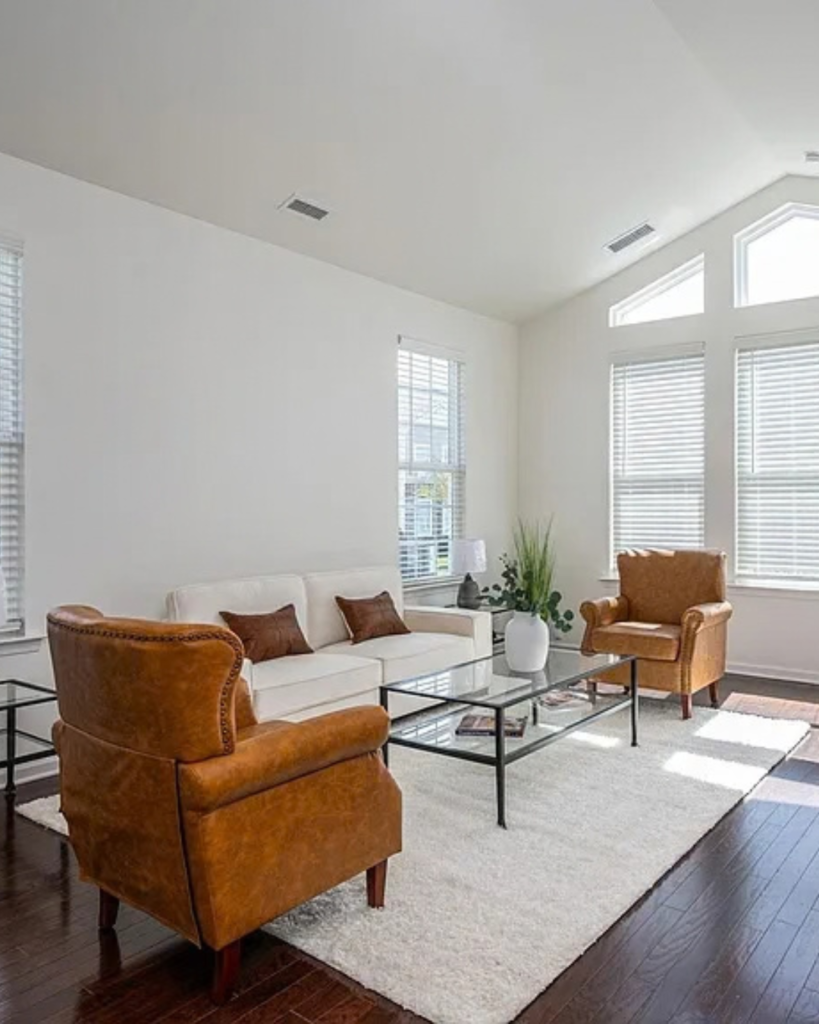
For the most realistic results, photograph the room during the day using natural light. Stand far enough back to capture as much of the room as possible, keep the camera level and avoid extreme wide-angle settings that distort walls and furniture.
Most importantly, use a photo of your actual room rather than asking AI to create a similar room from scratch.
That’s what makes this useful for remodeling.
You’re not looking for a fantasy house.
You’re trying to figure out what your house could become.
Experiment #1: Change Nothing Except the Paint
This is one of my favorite ways to use AI because paint is deceptively difficult to visualize.
That tiny paint chip you’re holding at the store isn’t particularly helpful when you’re trying to imagine the same color covering 600 square feet of wall.
Upload a photograph of your room and try this prompt:
AI Prompt: Paint Only
Use the uploaded photograph as the exact reference image. Create an ultra-photorealistic architectural interior photograph of this same room. Preserve the room exactly as photographed, including all architecture, windows, doors, trim, flooring, ceiling, cabinetry, furniture, lighting fixtures, artwork, accessories and furniture placement.
Make only one change: repaint the walls [INSERT COLOR OR COLOR DESCRIPTION].
Do not redesign, restyle, replace, remove, add or reposition anything else in the room. Maintain the exact camera angle, perspective, proportions and natural lighting of the original photograph. Paint should have realistic undertones, shadows and natural light variation. The finished image should look like a professional interior-design photograph of the original room after it was professionally painted—not an AI rendering
Choosing Your Paint Color
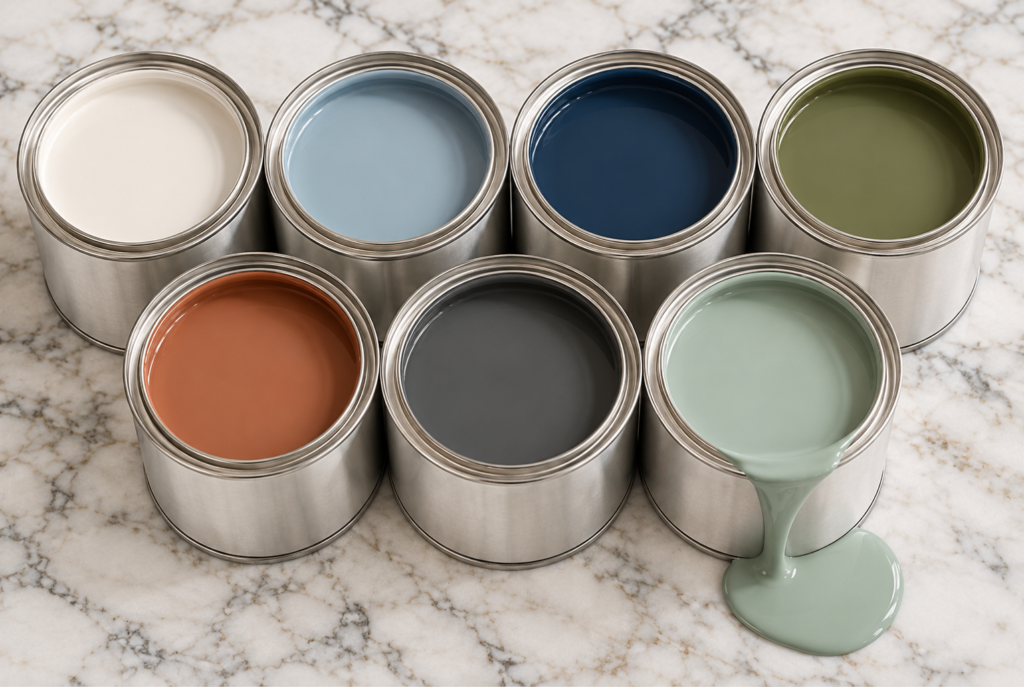
Try the same photograph several times with colors such as:
Warm creamy white, Soft coastal blue, Deep navy, Olive green, Terracotta, Charcoal, Pale sea-glass green
You may be surprised by the winner.
Don’t immediately ask AI to redesign the entire room.
Start with one change at a time.
Paint the walls.
Then try the cabinets.
Then flooring.
Then lighting.
You’ll quickly discover which changes actually make the biggest difference.
PRO TIP: Once you’ve found a paint color you love, ask AI to suggest the closest match from your favorite paint brand, including the color name and code. Always confirm the match with a physical paint sample before committing.
Experiment #2: Remodel the Entire Room
Now we get to have some fun.
Once you’ve decided you’re willing to rethink the room completely, AI becomes your virtual design playground.
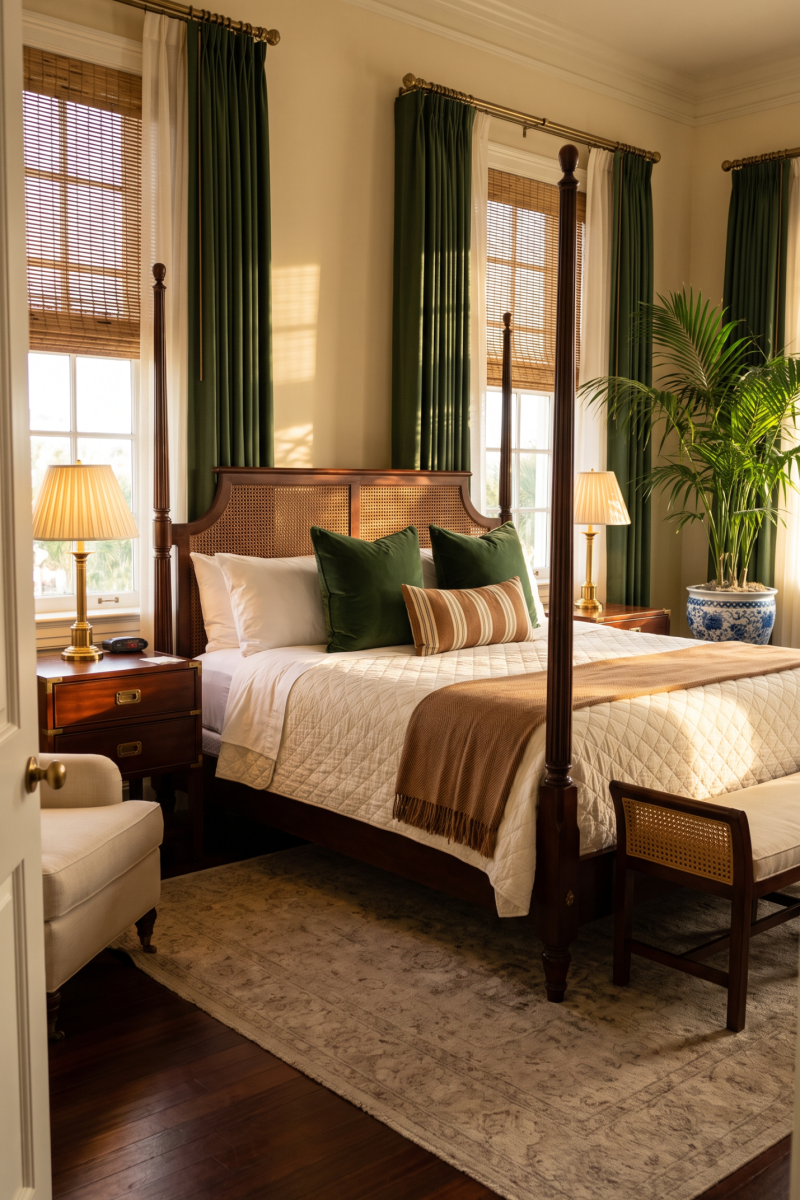
Maybe you’ve wondered what your builder-grade kitchen would look like as a Mediterranean entertaining kitchen. Or whether your traditional living room could become British Colonial. Or whether that dated dining room could pull off colorful Southern Coastal style.
Upload your room photograph and tell AI exactly what design direction you’d like to explore.
AI Prompt: Full Room Remodel
Using the uploaded photograph as the architectural reference, create an ultra-photorealistic professional interior-design photograph showing a complete remodel of this room in a [INSERT DESIGN STYLE] style.
Preserve the existing architectural footprint wherever practical, including the room dimensions, window and door locations, ceiling height and overall camera perspective, so the finished design still clearly represents this actual home.
Redesign the finishes, furnishings, lighting, textiles, flooring, cabinetry and decorative elements to create a cohesive [STYLE] interior. Use authentic materials and realistic construction details appropriate to the style rather than generic themed decorations.
Include [INSERT SPECIFIC MATERIALS, COLORS OR FEATURES YOU WANT].
Use natural daylight, realistic shadows, accurate material textures, believable furniture proportions and editorial-quality interior photography. Avoid exaggerated styling, impossible architecture, distorted furniture, excessive accessories and obvious AI characteristics. The result should look like a completed professionally designed home photographed for a high-end shelter magazine.
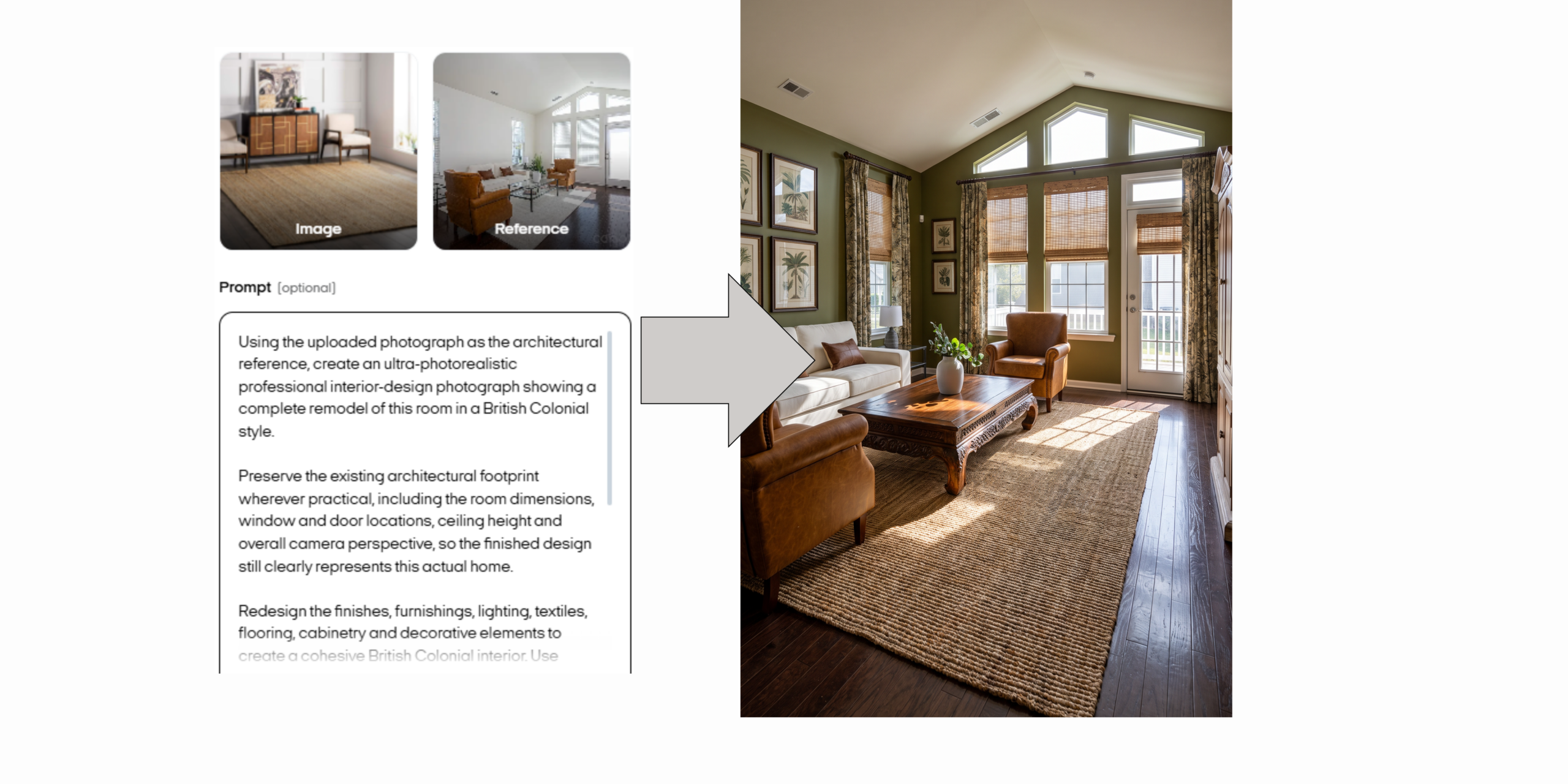
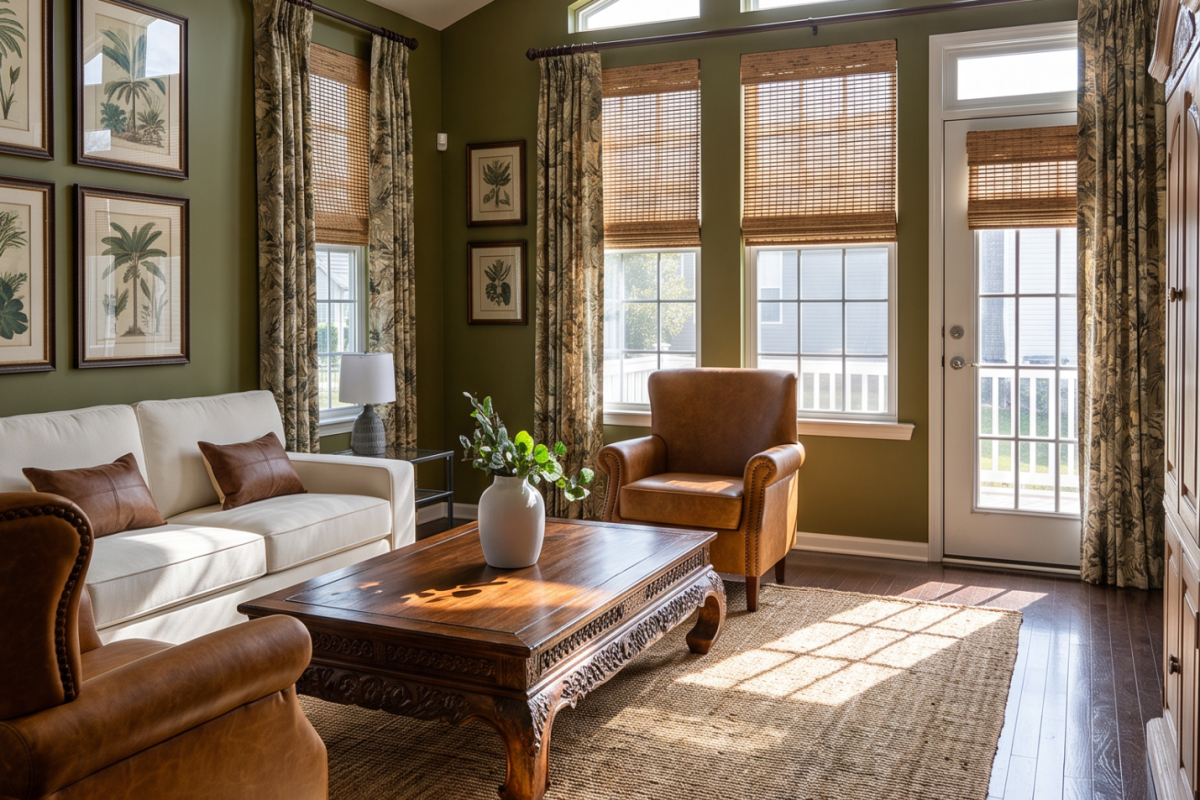
For this image, we asked our AI to use the existing furniture to create a British Colonial style remodel.
Don’t Ask AI to Make It “Pretty”
Think Like a Designer
This is where many AI decorating experiments go sideways.
Prompts like: “Make my living room coastal.” leave nearly every design decision up to AI.
Instead, think like a designer and describe:
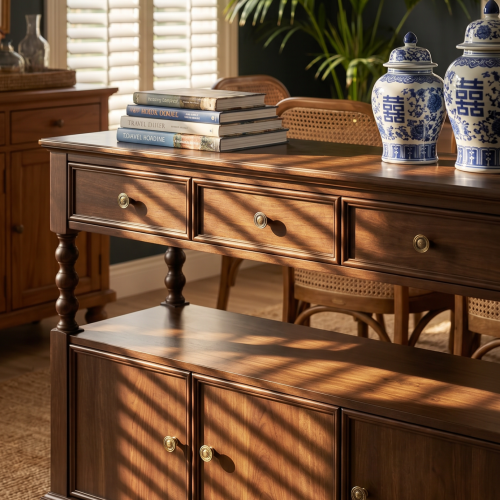
white oak, walnut, mahogany, painted wood, reclaimed pine
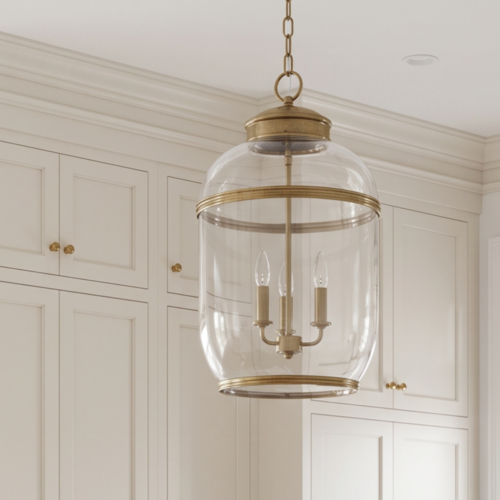
antique brass, polished nickel, blackened iron, aged bronze
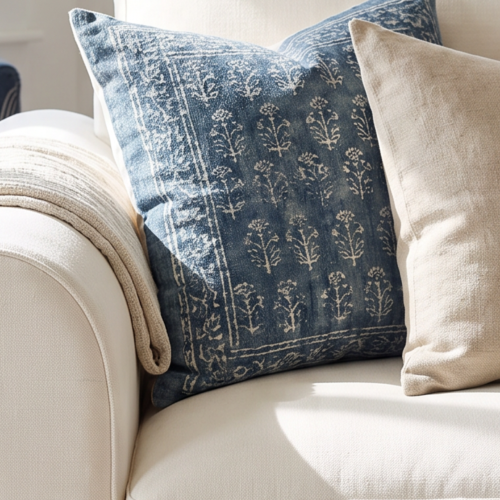
washed linen, cotton ticking, velvet, jute, woven rattan
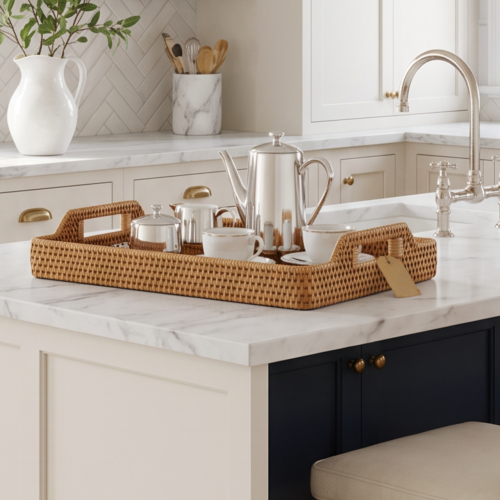
Calacatta marble, soapstone, limestone, travertine
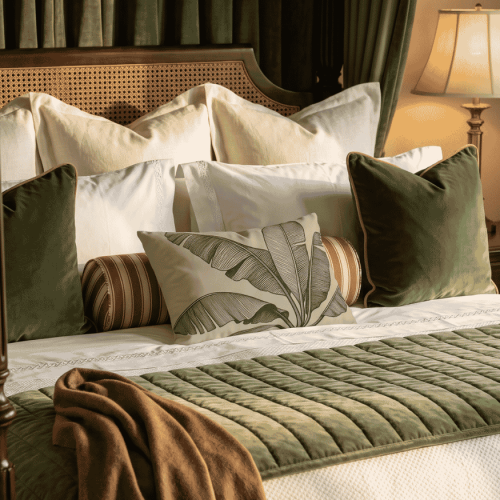
creamy white, cobalt, olive, coral, tobacco brown
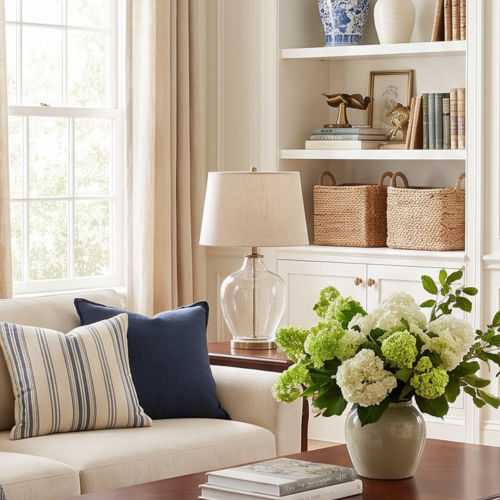
airy, collected, sophisticated, relaxed, colorful, tailored
As an Amazon Affiliate, Land2Shore earns from qualifying purchases
Build an AI Mood Board Before You Shop
This may be the most useful AI tool of all.
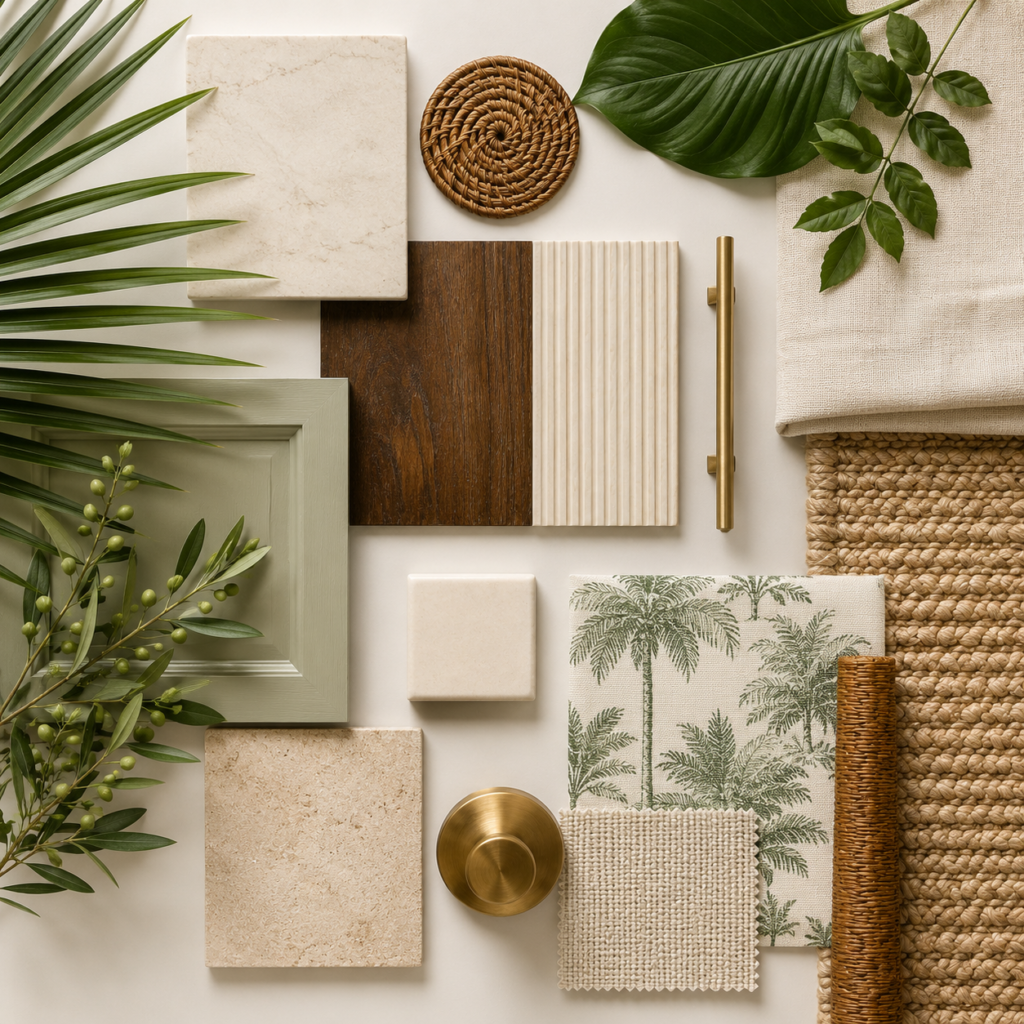
Before buying flooring, countertops, curtains, cabinet hardware and upholstery separately, put everything together visually.
A mood board lets you see whether the materials actually belong in the same room.
Why Mood Boards Matter
A room isn’t made from individual products. It’s made from relationships between materials.
A beautiful brass faucet can look completely different next to cool gray marble than it does next to warm limestone. A blue linen that looks perfect online may suddenly feel too cool beside your flooring. And three different shades of “white” can become very different colors when they’re placed beside one another.
Mood boards force you to look at the entire material story instead of falling in love with individual pieces. That’s something professional designers have been doing long before AI arrived.
AI simply makes experimenting with those combinations much easier.
AI Prompt: Ultra-Realistic Material Mood Board
Create an ultra-photorealistic interior-design material mood board for a [INSERT STYLE] room. Photograph the materials from directly overhead on a simple neutral studio surface with soft natural daylight and realistic shadows.
Arrange a sophisticated curated selection including:
• [WOOD SPECIES AND FINISH]
• [STONE OR COUNTERTOP]
• [FLOORING]
• [MAIN FABRIC/LINEN]
• [ACCENT FABRIC]
• [METAL FINISH]
• [TILE]
• [PAINT COLOR]
• [NATURAL MATERIAL SUCH AS RATTAN, JUTE OR CANE]
Show the materials as realistic physical samples—fabric swatches with visible weave, actual stone samples with natural veining, wood with authentic grain, tile with realistic glaze variation and metal with accurate reflections and patina.
Arrange everything like a professional interior designer’s working materials board. Keep the composition sophisticated and uncluttered with no text, labels, logos or artificial graphic elements. Editorial interior-design photography, extremely realistic material texture, natural imperfections and true-to-life proportions.
Make It Personal
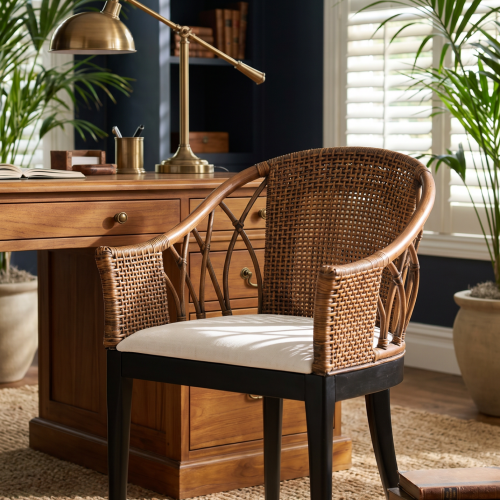
You don’t have to describe your entire design style from scratch. If you’ve fallen in love with a wallpaper, fabric, rug, tile or even a piece of artwork, upload a photo of it along with the photograph of your room and ask AI to use it as the starting point for the design. This is one of the easiest ways to get results that feel personal rather than like a generic designer room.
For example, maybe you’ve found a beautiful blue-and-white botanical wallpaper but have no idea what color sofa, wood tones or metals would work with it. Upload the wallpaper image and your room photo, then try:
AI Prompt: Design Around My Inspiration
Use the uploaded photograph of my room as the architectural reference and the uploaded [WALLPAPER/FABRIC/RUG/TILE] as the primary design inspiration. Create an ultra-photorealistic redesign of this room that incorporates the exact colors, pattern and overall character of my inspiration image. Preserve the room’s existing architecture, dimensions, windows, doors and perspective.
Use the inspiration piece to guide the room’s color palette and select complementary upholstery, wood tones, metal finishes, lighting, rugs and accessories. Do not simply repeat the pattern throughout the room. Treat it as a professional interior designer would—as the starting point for a layered, collected design. Use realistic materials, natural daylight, accurate proportions and editorial-quality interior photography. The finished room should feel personal, sophisticated and professionally designed rather than themed or overly coordinated.
This is also a great trick when you’re stuck between design styles. Instead of telling AI, “Make this room coastal,” give it the Schumacher-style floral fabric you can’t stop thinking about, the vintage rug you found at an antique market or the dramatic wallpaper you’ve had saved on Pinterest for six months. Start with the thing you love and let the room grow around it.
And don’t limit yourself to one inspiration image. Try uploading your favorite wallpaper and a fabric swatch, then ask AI to build a room that makes the two work together. It’s essentially the digital version of laying samples across a designer’s worktable—except you get to see what those choices might actually look like inside your home before buying anything.
Keep One Foot in Reality
There is one important caveat.
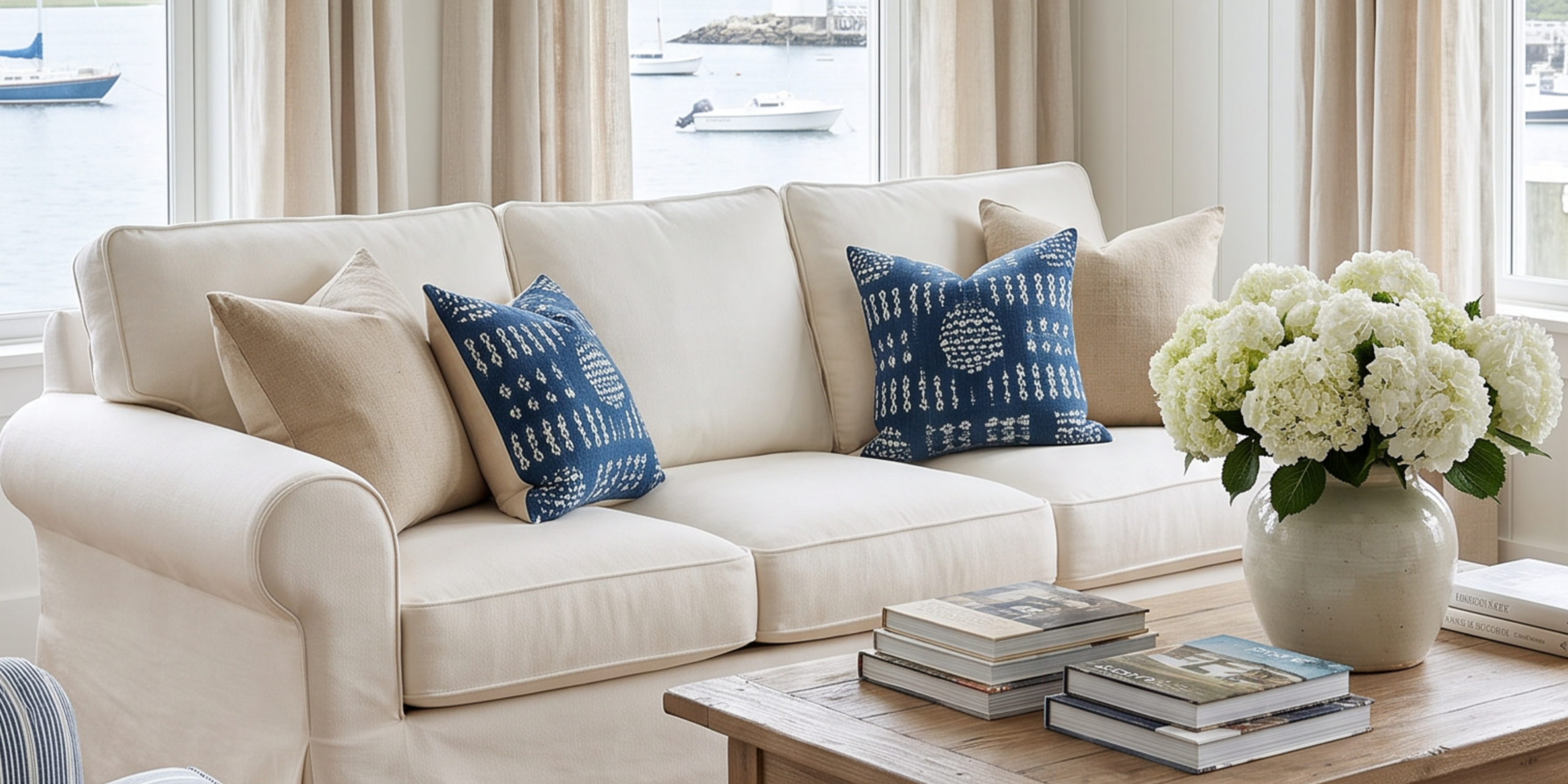
AI is an inspiration and visualization tool—not an architect, contractor or structural engineer.
It may happily remove a load-bearing wall, relocate plumbing to an impossible location or install a window where your neighbor’s garage happens to be.
Use AI to answer questions such as:
“Would this color work?”
“Do these materials look good together?”
“Could this room carry a Mediterranean look?”
“Would darker cabinets overwhelm this space?”
Then take those ideas to the appropriate professionals before making structural, electrical, plumbing or construction decisions.
From AI Inspiration to a Real Room
Once you land on an AI image you love, don’t try to copy every object literally. Instead, look at the room as a whole and figure out what caught your attention.
Maybe it’s the combination of warm wood and crisp linen, brass against deep blue, an oversized woven pendant or simply the fact that the room feels less cluttered. Those observations become your real-life shopping list.
Start with the big decisions—paint, flooring, major furniture and rugs—then layer in lighting, textiles and accessories. This keeps an AI inspiration image from turning into an expensive impulse-shopping exercise and helps you create a room that feels like your own rather than a copy of something on a screen.
AI isn’t replacing interior designers, and it certainly isn’t replacing good taste. What it does give us is a remarkably easy way to experiment before making expensive decisions. You can repaint the kitchen five times before breakfast, turn the living room into a British Colonial retreat at lunch, try Mediterranean Riviera by dinner and put everything back exactly the way it was before bed. No contractors, no paint rollers and no furniture shoved into the hallway—just ideas.
And sometimes seeing an idea come to life is exactly what you need before you’re brave enough to actually do it.
Love the AI Look? Now Make It Real.
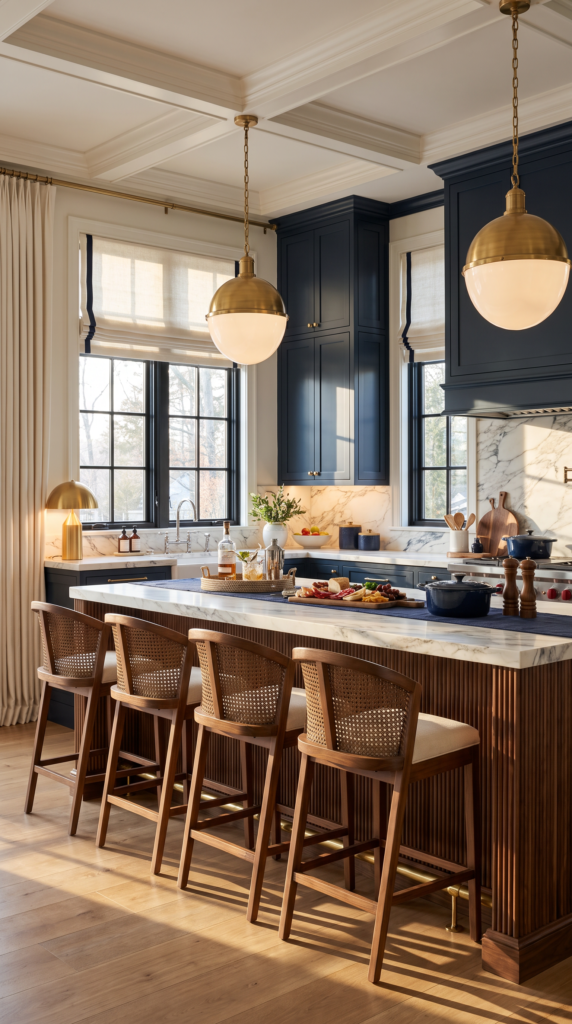
Once AI has helped you settle on the direction for your room, the next step is finding the pieces that create the look in real life.
That’s exactly why we created our Land2Shore Amazon Inspirations.
Instead of trying to duplicate every item AI places in a room, look at the details that define the design: the lighting, woven textures, pillows, hardware, serving pieces, rugs, decorative objects and other finishing touches. Then use our curated Amazon collections to find pieces with the same feeling.
We’ve already done some of the searching for you, with collections inspired by the same relaxed, resort-style interiors we feature throughout Land2Shore.
Use AI to find your direction. Then use our Amazon Inspirations to bring the look home